
Browse privately. Stay off the recording.
Keep personal finances, email, and private research off screen shares and recordings — even on a company PC. Shadow Browser hides its window from capture while staying fully usable for you.
1-day free trial · no card required · pay with crypto
1 day
Free trial
$20
From, per month
5 min
Trial session length
Crypto
USDT, BTC & more
Who it's for
Private browsing when your screen isn't only yours
Built for people who need a normal browser on the same machine that gets shared, recorded, or watched remotely — without putting personal tabs in that feed.
Company PC, personal life
Developers and office workers can open personal banking, email, or side projects without them appearing in corporate screen shares, meeting recordings, or remote-support sessions.
Video calls & demos
Share your desktop on Zoom, Teams, or Meet while Shadow Browser stays off the feed — notes, credentials, and private tabs never join the call.
Interviews & live coding
Interview mode drafts spoken-format answers from your resume, pages them with Chunk mode, and auto-scrolls at reading pace — in a window the interviewer’s screen share does not pick up on Windows. Trial includes 3 answers per interview; Premium is unlimited.
Remote desktop & IT support
When someone connects via RDP or remote assistance, the capture-excluded window is absent from their view even though it remains on your monitor.
Streaming & content creation
Record or go live without your private browser ending up in the VOD — useful for creators who keep admin panels or wallets open while streaming.
Client machines & shared desks
Consultants and freelancers can work on a client laptop without leaving personal sessions in the recording or the next person’s screen share.
Features
Built to disappear from capture
Keep personal finances and other sensitive browsing out of screen shares and recordings — without changing how you work.
Excluded from capture
Screen shares, recorders, and remote viewers miss the window entirely while it stays fully usable for you.
Sessions stay local
Each account gets its own browser profile on your PC. Nothing is synced, and sign-in never persists to disk.
Crypto memberships
Pay with crypto through Cryptomus. Purchased time stacks on top of whatever access you have left.
Interview mode that writes how you speak — not how you write
Press Alt + I and the same window becomes an interview assistant. Press Space and you get a spoken-format answer grounded in your resume and the job description — then Chunk mode or reading-pace auto-scroll keeps it deliverable while you talk.
Interview — Shadow Browser
Suggested answer
Yeah, so… there was one, actually. We were about a week out from shipping and my manager wanted to drop the migration script — just do the whole thing by hand on the night.
Transcript
- Recruiter12:03
Okay, and one more on the behavioural side before we look at code.
- Recruiter12:04
Tell me about a time you disagreed with your manager.
- You12:04
Yeah — I've got a good one from last shipping week.
Drafted to be said, not read
Hedges, breath, and real numbers from your resume — a line you can deliver as-is. Other copilots hand you a polished paragraph you have to rewrite mid-sentence.
One spoken piece at a time
The answer arrives in beats instead of a wall of text. Press Enter for the next piece when you are ready, so you never lose your place on the call.
Moves at the pace you talk
Leave Chunk off and the answer scrolls itself at about 130 words a minute. The line you need stays in view while your eyes stay on the camera.
Same question · two formats
“Tell me about a time you disagreed with your manager.”
What other tools give you
Written · essayIn a previous role, I successfully navigated a disagreement with my manager regarding a database migration approach. I advocated for an automated solution over a manual process, demonstrated the associated risks with supporting data, and ultimately secured stakeholder alignment. The migration completed successfully with zero data loss, showcasing both my communication skills and my technical judgment.
- Reads like a cover letter
- You rewrite it in your head while talking
- No pacing help — one static block
What Shadow gives you
Spoken · as-isYeah, so… there was one, actually. We were about a week out from shipping and my manager wanted to drop the migration script — just do the whole thing by hand on the night. And I got it, we were behind. But that table was around two million rows, and doing that manually at midnight is how you lose data, right? So I asked him for one afternoon, wrote the script with a dry-run mode on it, and walked him through it on staging. On the night it took twenty minutes, nothing to roll back.
- Natural speech: “Yeah, so…”, “right?”
- Chunk mode serves it one beat at a time
- Or auto-scrolls at ~130 WPM while you speak
Dual-channel transcript
Your mic and the recruiter, labelled separately
Grounded in your brief
Job description and resume — no invented facts
Capture-excluded window
Alt+I switches modes without opening a new window
Interview mode needs microphone and system-audio permission, and a signed-in account. Trial includes 3 answers per interview; Premium is unlimited.
Compare
How Shadow stacks up against other interview copilots
Most tools dump written essays or STAR bullets into an overlay. Shadow drafts spoken-format answers, pages them with Chunk mode, and auto-scrolls at reading pace — inside a capture-excluded desktop browser, at flat crypto pricing.
| Compare | Shadow Browser$20 / mo$45 / 3 mo · $120 / yrDesktop browser · Win & Mac | Parakeet AI~$30+ creditsUnlimited ~$100 / moBrowser overlay | Sensei Copilot$89 / mo$24 / mo billed yearlyChrome extension | Ntro.io$25–50 / moDiamond $100 / moChrome extension | Cluely$20 / moStealth tier ~$150 / moDesktop overlay | Final Round AI~$25 / mo**~$150 / mo without annualWeb / desktop suite |
|---|---|---|---|---|---|---|
| Spoken-format answers | ||||||
| Chunk mode | ||||||
| Auto-scroll at reading pace | ||||||
| Hidden from screen share | ||||||
| Full private browser | ||||||
| Dual-channel live transcript | ||||||
| Resume + job-description answers | ||||||
| Answers only when you ask | ||||||
| Flat monthly pricing | ||||||
| Pay with crypto |
Competitor prices and stealth claims from public pricing pages and reviews as of August 2026. Spoken-format answers, Chunk mode, and reading-pace auto-scroll are Shadow Browser interview features — other tools typically surface written bullet points or essay-style text. Overlay and extension tools can still appear on full-screen share; Shadow uses Windows display-affinity exclusion. Always verify current pricing on each vendor’s site.
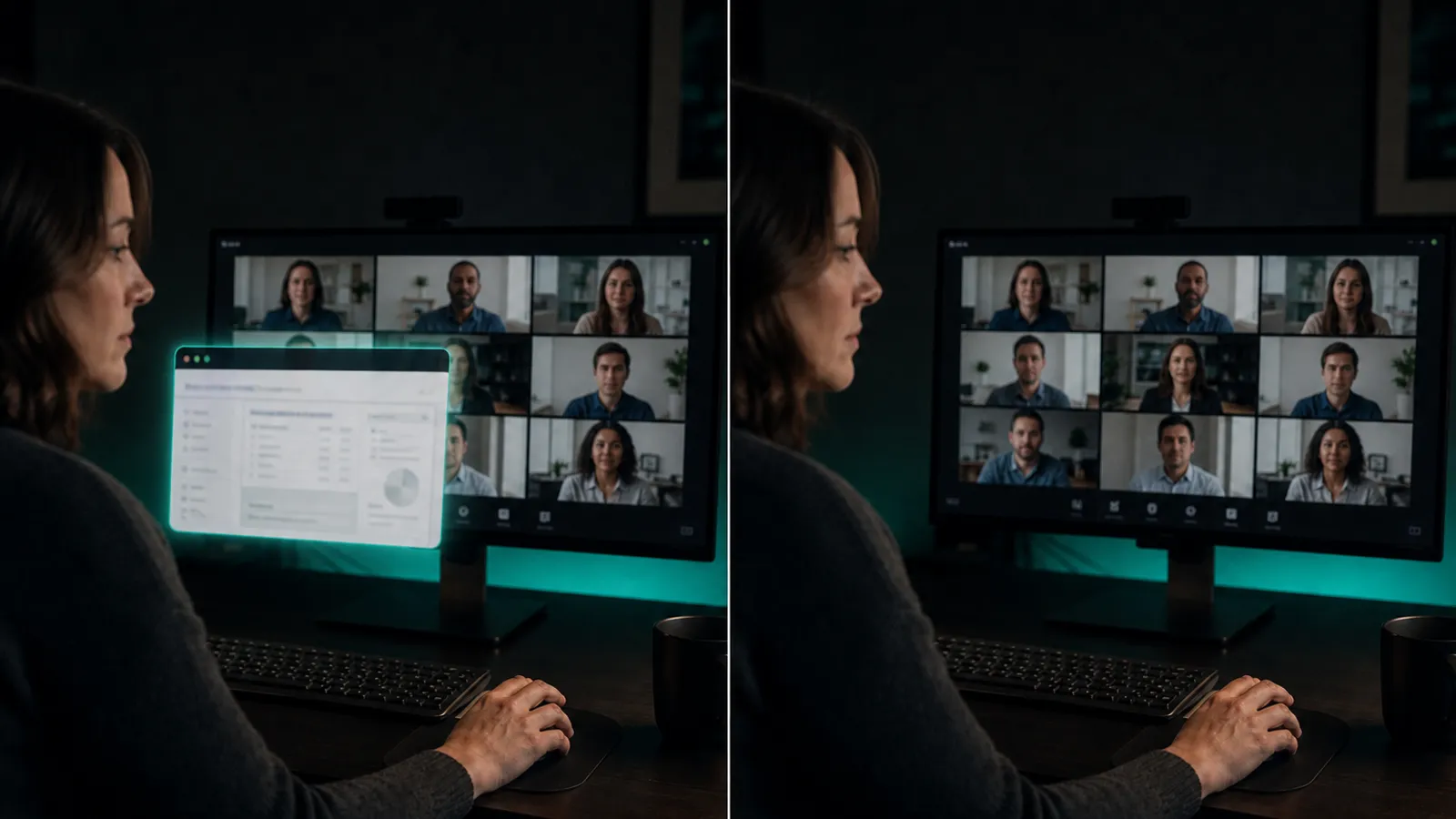
How the exclusion works
Present for you. Absent on the recording.
The window sets a Windows display-affinity flag, so capture APIs skip it. You keep a normal browser; everyone else captures empty desktop.
- Invisible to common screen recorders and share tools
- Capture-safe cursor and tooltips
- Dim to any opacity or click straight through the window
- Membership checked live, with a visible access timer
Getting started
Three steps to a private session
01
Create an account
Sign up with email and password. Your free Trial unlocks automatically for 24 hours.
02
Install the app
Download the Windows or macOS build and sign in with the same credentials you just created.
03
Go Premium anytime
Choose 1 month, 3 months, or a year and pay with crypto. Access extends instantly.
Pricing
Start free, upgrade with crypto
One free Trial per account. Premium removes the 5-minute session limit, unlocks unlimited interview answers, and stacks onto any time you have left.
Trial
Free
1 day · once per account
- 24 hours of access
- All privacy features
- 3 interview answers per session
- Sessions end every 5 minutes
Premium · 1 Month
$20
$20 / month
- 30 days of access
- Uninterrupted sessions
- Unlimited interview answers
Premium · 3 Months
$45
$15 / month
- 90 days of access
- Save $15 vs monthly
- Unlimited interview answers
Premium · 1 Year
$120
$10 / month
- 365 days of access
- Best value — save $120
- Unlimited interview answers

Ready for a quieter browser?
Create an account, claim your free Trial, and install Shadow Browser in minutes.